| General | Details |
|---|---|
| Year | 2023 |
| Make | Nissan |
| Model | Rogue |
| Language | English |
| Filetype | PDF (Download) |
| File size | 3.09 MB |
 2023 Nissan Ar...
 2013 Nissan Mi...
 2008 Nissan Ma...
 2010 Nissan Pa...
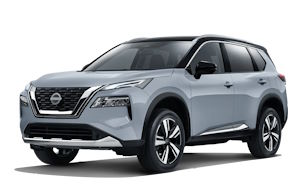 2024 Nissan X-...
 2026 Nissan Al...
 2010 Nissan Mu...
 2019 Nissan Se...
 2010 Nissan X-...
 2006 Nissan 37...
 1996 Nissan Fr...
 2026 Nissan Se...
 2019 Nissan Al...
 2002 Nissan Xt...
2023 Nissan Rogue Owner's Manual

 (2 votes, average: 4.50 out of 5)
 Loading...
 Free owner's manual for 2023 Nissan Rogue in PDF. We do not charge any fee for downloading the manual; In case you did not find the information you need, we advise you to look at the manuals for other years.
If your car is not listed on our website or if you have any questions, please check manuals for other model years below.
The 2023 Nissan Rogue is a 5-door, 5-passenger compact SUV with all-wheel drive or front-wheel drive built for the North American market. The model is as similar as possible to the X-Trail, which is intended for Europeans.
The exterior is muscular and aggressive. External features have improved aerodynamics. The crossover was created on the CMF-C\D platform and slightly decreased in length and height, while other parameters remained unchanged. LED optics are presented in two separate segments and are made in two levels. The V-shaped radiator grille remains an invariable attribute. The car is offered with wheels with a radius of 17-19 inches.
Specifications
The updated model received a 1.5-liter turbocharged VC-Turbo engine with three cylinders and a capacity of 204 hp. Such a unit made it possible to reduce fuel consumption. For front-wheel drive cars, there are three drive modes: Standart, Eco, Sport, and two additional modes are provided for models with all-wheel drive, Snow and Off-Road.
The engine in the front-wheel drive model is paired with an Xtronic automatic transmission.
Features of the interior
The model has 5 full seats and is equipped with comfortable seats with support. The interior is modeled after premium segment cars. A special system remembers not only the position of the seats, but also the location of the side mirrors. The car is equipped with a Bose audio system.
The instrument panel is represented by analog dials, with a 7-inch display in the center. Multimedia information is displayed on a touch screen with a diagonal of 9 inches.
There is enough space for front and rear row passengers. An optional panoramic sunroof fills the cabin with natural light and adds space. The rear doors open almost 90 degrees, which facilitates access to the rear row of seats.
The central tunnel is made in two levels, where the gearbox control joystick is located. A niche for storing things is provided below.
Keyless access buttons are provided on all doors: you can unlock both one door and all together by double pressing.
Safety systems and driver assistants
The model meets a high level of safety thanks to all-round vision, ESP and ABS stabilization systems, lane departure control and blind spot monitoring. The 2023 Nissan Rogue is equipped with adaptive cruise control, park assist and a forward collision warning option.
2023 Nissan Rogue Owner’s Manual — Questions and Answers
What does the indicator light on the inside mirror mean on a 2023 Nissan Rogue?
On a 2023 Nissan Rogue, the inside mirror’s indicator light turns on when the automatic anti-glare system activates at ignition ON, dimming reflections from following headlights at night. Pushing the switch turns off the light and returns the mirror to normal daytime viewing until pressed again. Owner’s Manual, p. 218
What is the maximum roof rack cross bar load on a 2023 Nissan Rogue?
The 2023 Nissan Rogue owner’s manual doesn’t print an exact weight figure; it simply warns not to exceed the maximum roof rack cross bar load and to spread cargo evenly across the bars. GVWR and GAWR figures are found on the certification label on the driver’s door pillar, and all cargo must be strapped down to stop it shifting. Owner’s Manual, p. 174
What happens if I arm the 2023 Nissan Rogue security system with the windows down?
The system can still be armed even with the windows open, although closing them first is advised. Once armed, it will trigger the alarm if any door, the hood, or the liftgate is opened without the Intelligent Key, but it never watches for motion or vibration. Owner’s Manual, p. 145
Can I go past the oil change interval on my 2023 Nissan Rogue?
No. The 2023 Nissan Rogue’s oil control system sets limits that should never be exceeded: one year, or 10,000 miles (16,000 km) for the PR25DD engine, or 7,500 miles (12,000 km) for the KR15DDT engine. The actual interval is calculated automatically based on driving conditions but cannot go beyond these limits. Owner’s Manual, p. 121
Where is the funnel for filling a portable fuel container stored in a 2023 Nissan Rogue?
On a 2023 Nissan Rogue, the funnel for filling from a portable fuel container is stored in the tool bag under the luggage board; insert it fully into the fuel-filler opening before pouring fuel through it. Owner’s Manual, p. 215
How can I tell the rear window lock button is active on a 2023 Nissan Rogue?
On a 2023 Nissan Rogue, pressing the window lock button lights up its indicator, showing rear passenger windows are locked. While lit, only the driver’s main switch can open or close those windows; press the button again to turn off the lock. Owner’s Manual, p. 175
What do I need to use the wireless charger in my Rogue
A Qi compatible smartphone is required, since only that type works with this charger. For best results also prepare to remove any thick case or accessory that could block charging and turn off the phone’s vibration function beforehand.
- Qi compatible smartphone
- Remove smartphone case or accessories that may block charging
- Turn off the phone’s vibration function
- No USB cable connected during charging
How often should I check the windshield for cracks on a 2023 Nissan Rogue?
You should inspect the windshield for cracks or other damage at least every six months on a 2023 Nissan Rogue, and clean it regularly. If it’s damaged, have it repaired by a qualified facility such as a NISSAN dealer. Owner’s Manual, p. 523
How do I initialize the automatic power windows on a 2023 Nissan Rogue?
Follow the reset sequence with the door closed and ignition ON to relearn the auto-up/down function.
- Close the door and turn the ignition switch to ON
- Pull the switch and hold it until the window fully closes, releasing and repeating if it stops early
- Release the switch, then pull it again and hold for about 5 seconds or more until the window moves
- Push the switch down and hold it until the window fully opens
- Release the switch, then push it down again and hold for about 5 seconds or more until the window moves
- Pull the switch and hold it to fully close the window again
- Test the automatic open and close function to confirm initialization worked
- If problems continue, have the vehicle checked by a NISSAN dealer
Why won’t the engine start when I use the correct key?
This usually happens when a signal from another source blocks the Intelligent Key from being recognized. Move any interfering item away from the key and try starting the engine again.
- Another Intelligent Key nearby
- An automated toll road device
- An automated payment device
- Other devices transmitting similar signals
What does the CVT hot power reduced warning mean on a 2023 Nissan Rogue?
It means the transmission fluid has overheated, often from towing or climbing steep grades in hot weather with heavy loads. The 2023 Nissan Rogue automatically cuts engine power and sometimes vehicle speed to protect the CVT, though the accelerator still lets you influence speed somewhat. Owner’s Manual, p. 129
We also have owner's manuals for other vehicle years:
- 2026 Nissan Rogue Plug-in Hybrid
- 2026 Nissan Pathfinder
- 2026 Nissan Qashqai
- 2026 Nissan Murano
- 2026 Nissan Kicks
- 2026 Nissan Altima
- 2026 Nissan Z
- 2026 Nissan Leaf
- 2025 Nissan Ariya
- 2026 Nissan Rogue
- 2025 Nissan Rogue
- 2026 Nissan Frontier
- 2026 Nissan Armada
- 2024 Nissan Qashqai
- 2024 Nissan Rogue
Need help?
Please ask your question on the page Need Help!
 2026 Nissan Rog...
  2026 Nissan Pat...
  2026 Nissan Qas...
NISSANMANUALS.ORG
Nissan Owner's Manuals - view owner's manuals for Nissan cars in PDF for free! Choose your car: Altima, Rogue, Qashqai, Primera, Teana, Juke, Murano, Micra!
Follow Us