| General | Details |
|---|---|
| Year | 2011 |
| Make | Nissan |
| Model | Rogue |
| Language | English |
| Filetype | PDF (Download) |
| File size | 2.88 MB |
 2019 Nissan Le...
 2015 Nissan 37...
 2022 Nissan Ro...
 2022 Nissan Mu...
 2014 Nissan Pa...
 2023 Nissan Ve...
 2015 Nissan Qa...
 2001 Nissan Al...
 1996 Nissan Fr...
 2013 Nissan Al...
 2014 Nissan Ve...
 2023 Nissan Ar...
 2022 Nissan Ar...
2011 Nissan Rogue Owner's Manual
 (1 votes, average: 5.00 out of 5)
 Loading...
 Free owner's manual for 2011 Nissan Rogue in PDF. We do not charge any fee for downloading the manual; In case you did not find the information you need, we advise you to look at the manuals for other years.
If your car is not listed on our website or if you have any questions, please check manuals for other model years below.
2011 Nissan Rogue Owner’s Manual — Questions and Answers
Where is the OFF position on the ignition switch in a 2011 Nissan Rogue?
On the 2011 Nissan Rogue, the OFF position sits between the LOCK and ACC settings on the ignition switch, but it isn’t marked with a number or label on the dial itself. Owner’s Manual, p. 239
How do I fix the automatic power windows on a 2011 Nissan Rogue that won’t close by themselves?
This resets the power window control system so the auto-close feature works again on a 2011 Nissan Rogue.
- Turn the ignition switch to the ON position
- Close the door
- Fully open the window using the power window switch
- Pull the switch to close the window, then hold it more than 3 seconds after it’s fully shut
- Release the switch and test the automatic function to confirm the reset worked
What does the key battery discharge indicator mean on a Rogue?
This indicator appears on the display when starting the engine if the Intelligent Key’s battery charge is getting low. It signals that you should replace the key battery with a new one soon to keep the system working properly. Owner’s Manual, p. 143
2011 Nissan Rogue won’t start and the ignition switch won’t turn even with jumper cables?
On a 2011 Nissan Rogue with Intelligent Key, a fully discharged battery keeps the ignition switch locked in the LOCK position, so it cannot be turned or the steering unlocked.
- Connect the jumper cables to the booster vehicle before trying to turn the ignition switch
- Follow the cable sequence 1-2-3-4 with positive to positive and negative to body ground
- Once connected, disengage the steering lock and try starting again
How do I properly start the engine on a 2011 Nissan Rogue with CVT?
To start a 2011 Nissan Rogue with a CVT transmission, follow these steps in order.
- Apply the parking brake.
- Move the selector lever to P (Park) or N (Neutral), with P recommended since the starter won’t operate otherwise.
- Turn the ignition switch to START while keeping your foot off the accelerator pedal.
- Release the switch as soon as the engine starts, and repeat the process if it stalls.
- Let the engine idle at least 30 seconds after starting, without racing the engine during warm-up.
What happens if a tire suddenly loses pressure while driving?
The tire pressure monitoring system may not detect a sudden drop in tire pressure, such as a flat tire that occurs while driving, and it only activates once speeds exceed 16 MPH (25 km/h). Owner’s Manual, p. 317
How can I set up flat towing for a 2011 Nissan Rogue?
Flat towing setup depends entirely on drivetrain and transmission type.
- Never flat tow an All-Wheel Drive (AWD) 2011 Nissan Rogue with any wheels on the ground, since it can seriously damage the powertrain.
- For Two-Wheel Drive (2WD) CVT models, place an appropriate dolly under the towed vehicle’s driving wheels before towing.
- Follow the dolly manufacturer’s recommendations when using their product to avoid transmission damage.
What do you need on hand to reinitialize the power windows on a 2011 Nissan Rogue?
No special tools or replacement parts are needed for this job on a 2011 Nissan Rogue.
- A working ignition switch to turn to the ON position
- The vehicle’s door, which must stay closed during the procedure
- The factory power window switch itself, held for over 3 seconds after closing
How do you know the doors actually locked using the Intelligent Key on a 2011 Nissan Rogue?
After pushing the door handle or lift gate request switch while carrying the key, the hazard indicator flashes twice and the outside chime sounds twice, confirming that all doors and the lift gate have locked. Owner’s Manual, p. 142
What is the sonar detection range on a 2011 Nissan Rogue?
The 2011 Nissan Rogue’s sonar system detects obstacles up to 3.3 ft (1 m) behind the rear bumper, with reduced coverage near the outer corners. The warning tone becomes continuous once an obstacle is closer than 11.8 in (30 cm) from the bumper. Owner’s Manual, p. 249
We also have owner's manuals for other vehicle years:
- 2026 Nissan Rogue Plug-in Hybrid
- 2026 Nissan Rogue
- 2025 Nissan Rogue
- 2024 Nissan Rogue
- 2023 Nissan Rogue
- 2013 Nissan Rogue Special Edition
- 2015 Nissan Rogue Select
- 2014 Nissan Rogue Select
- 2022 Nissan Rogue Sport
- 2021 Nissan Rogue Sport
- 2020 Nissan Rogue Sport
- 2018 Nissan Rogue Sport
- 2019 Nissan Rogue Sport
- 2017 Nissan Rogue Sport
- 2022 Nissan Rogue
Need help?
Please ask your question on the page Need Help!
 Nissan X-Trail ...
  2026 Nissan Rog...
 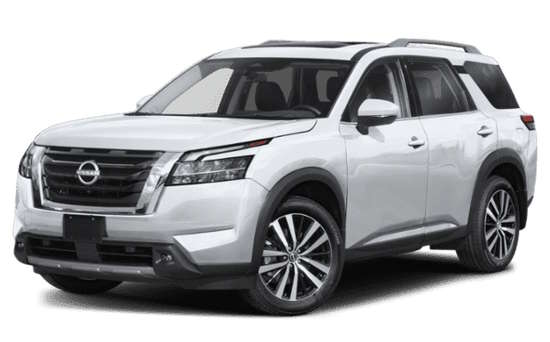 2026 Nissan Pat...
  2026 Nissan Qas...
NISSANMANUALS.ORG
Nissan Owner's Manuals - view owner's manuals for Nissan cars in PDF for free! Choose your car: Altima, Rogue, Qashqai, Primera, Teana, Juke, Murano, Micra!
Follow Us