| General | Details |
|---|---|
| Year | 2012 |
| Make | Nissan |
| Model | Rogue |
| Language | English |
| Filetype | PDF (Download) |
| File size | 3.12 MB |
 2022 Nissan Ma...
 2012 Nissan Se...
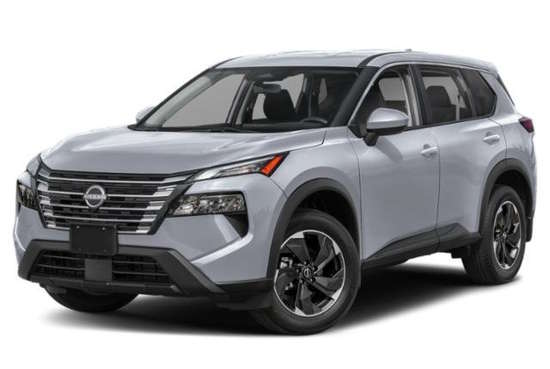 2025 Nissan Ro...
 1997 Nissan Fr...
 2011 Nissan Le...
 2021 Nissan Pu...
 2023 Nissan Ve...
 2002 Nissan Xt...
 2014 Nissan Al...
 2024 Nissan Al...
2012 Nissan Rogue Owner's Manual
 (1 votes, average: 5.00 out of 5)
 Loading...
 Free owner's manual for 2012 Nissan Rogue in PDF. We do not charge any fee for downloading the manual; In case you did not find the information you need, we advise you to look at the manuals for other years.
If your car is not listed on our website or if you have any questions, please check manuals for other model years below.
2012 Nissan Rogue Owner’s Manual — Questions and Answers
How do I reset the automatic door unlock feature on my 2012 Nissan Rogue?
On a 2012 Nissan Rogue you can turn this feature on or off yourself. Close all doors, turn the ignition to ON, then within 20 seconds push and hold the power door lock switch to UNLOCK for more than 5 seconds. Cycle the ignition OFF then ON again before changing the setting a second time.
- Close all doors
- Place the ignition switch in the ON position
- Within 20 seconds, push and hold the power door lock switch to UNLOCK for more than 5 seconds
- Cycle the ignition OFF and back ON between each setting change
What is the minimum brake fluid level allowed for a Rogue?
If the fluid drops below the minimum or MIN mark on the reservoir, the Rogue should not be driven until a NISSAN dealer inspects the brake system. Driving with fluid below that mark increases stopping distance and demands greater pedal effort and travel. Owner’s Manual, p. 83
Power windows won’t auto close on my 2012 Nissan Rogue, what should I do?
On a 2012 Nissan Rogue, if the automatic closing function stops working properly, you can re-initialize the system yourself.
- Turn the ignition switch to the ON position
- Close the door
- Fully open the window using the power window switch
- Pull the switch to close the window and hold it more than 3 seconds after it’s fully closed
- Release the switch and test automatic operation to confirm initialization
How can you tell if the automatic door unlock setting is turned on or off?
Watch the hazard indicator light right after you complete the switch procedure. If it flashes twice, the automatic unlock feature has been turned on; if it flashes only once, it has been turned off. Owner’s Manual, p. 136
How do I set up cruise control for the first time on my 2012 Nissan Rogue?
Push the MAIN switch on so the CRUISE indicator lights up on the vehicle information display. Then accelerate to your desired speed and follow these steps to lock it in.
- Push the MAIN (ON-OFF) switch to turn the system on
- Accelerate the 2012 Nissan Rogue to the speed you want to cruise at
- Push the COAST/SET switch and release it so the SET indicator illuminates
- Take your foot off the accelerator pedal and let the vehicle hold that speed
We also have owner's manuals for other vehicle years:
- 2026 Nissan Rogue Plug-in Hybrid
- 2026 Nissan Rogue
- 2025 Nissan Rogue
- 2024 Nissan Rogue
- 2023 Nissan Rogue
- 2013 Nissan Rogue Special Edition
- 2015 Nissan Rogue Select
- 2014 Nissan Rogue Select
- 2022 Nissan Rogue Sport
- 2021 Nissan Rogue Sport
- 2020 Nissan Rogue Sport
- 2018 Nissan Rogue Sport
- 2019 Nissan Rogue Sport
- 2017 Nissan Rogue Sport
- 2022 Nissan Rogue
Need help?
Please ask your question on the page Need Help!
 Nissan X-Trail ...
  2026 Nissan Pat...
  2026 Nissan Qas...
NISSANMANUALS.ORG
Nissan Owner's Manuals - view owner's manuals for Nissan cars in PDF for free! Choose your car: Altima, Rogue, Qashqai, Primera, Teana, Juke, Murano, Micra!
Follow Us